
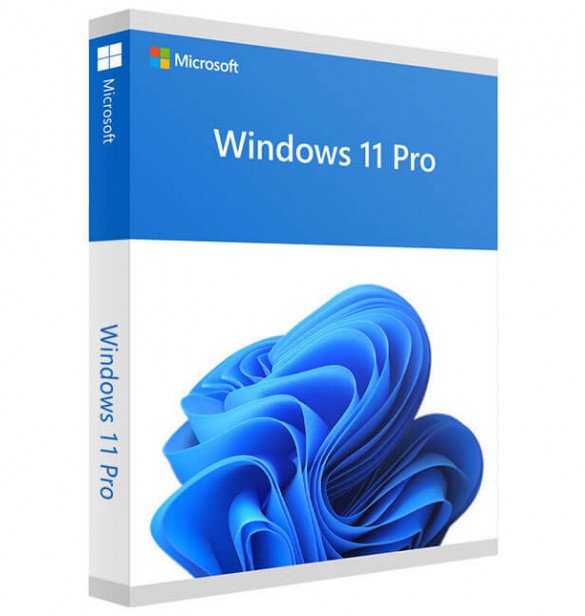


Buy Windows 11 Pro License Key Online
Get your Windows 11 Pro license key from DigitalKeyWorld for a secure and professional Windows experience. Windows 11 Pro is designed for users who need advanced features such as BitLocker, Remote Desktop, Hyper-V, domain join, and business-ready security tools.
This product is suitable for users looking for a Windows 11 Pro product key for activation on 1 PC, depending on the license type shown on the product page.
💡 Already using Windows 10 Pro? You can upgrade to Windows 11 Pro for free, using this key on a fresh install.
What You Receive After Purchase
When you place your order with DigitalKeyWorld, your digital product is delivered by email after successful payment.
Depending on the product, your delivery email may include:
- Windows 11 Pro license key
- Activation instructions
- Download or installation guidance
- Version and edition details
- Any product-specific notes if required
NOTE: In most cases, delivery is completed after payment. But in case of technical errors or temporary processing delays, your order will still be delivered within 24 to 48 hours.
👉 View all Windows 11 license keys and Windows 10 products for comparison.
Why Choose Windows 11 Pro?
Windows 11 Pro is built for users who need more than basic home features. It is ideal for professionals, freelancers, remote workers, and business users who want stronger security, better productivity tools, and more control over their system.
With Windows 11 Pro, you get access to advanced features that are not included in standard home editions, making it a strong choice for work, business, and professional use.
Key Features of Windows 11 Pro
Advanced Security
Windows 11 Pro includes advanced protection features designed to help secure your files, identity, and device.
Key security features may include:
- BitLocker device encryption
- Windows Hello
- Secure Boot
- TPM 2.0 support
- Built-in Microsoft security tools
Remote Desktop Access
Windows 11 Pro supports Remote Desktop, making it easier to access your PC remotely when needed. This is especially useful for professionals and remote workers.
Business and Productivity Tools
Windows 11 Pro is designed for productivity and professional use with features such as:
- Domain join
- Group Policy support
- Better business device management options
- Compatibility with professional workflows
Hyper-V Virtualization
For advanced users and IT-focused environments, Windows 11 Pro supports Hyper-V, allowing virtualization and testing in supported setups.
Better Control for Professional Users
Windows 11 Pro gives users more control over updates, settings, and system management than entry-level editions.
Who Should Buy Windows 11 Pro?
Windows 11 Pro is a strong choice for:
- Small business owners
- Freelancers and consultants
- Remote workers
- IT professionals
- Users who need stronger security
- Users who want Remote Desktop and advanced management features
- Users upgrading from Windows Home for work-related needs
If you only need Windows for basic browsing, streaming, and everyday personal use, a home edition may be enough. If you need more security and professional tools, Windows 11 Pro is usually the better option.
Windows 11 Home vs Pro
If you are deciding between Windows 11 Home and Windows 11 Pro, the main difference is that the Pro edition includes more advanced features for business, security, and productivity.
Windows 11 Home
Best for:
- Basic home use
- Web browsing
- Streaming
- Everyday personal tasks
Windows 11 Pro
Best for:
- Professional work
- Business use
- Remote access
- Device management
- Advanced security
- Virtualization support
If you need BitLocker, Hyper-V, Remote Desktop, domain join, or enhanced control, Windows 11 Pro is the better choice.
Minimum System Requirements
To install and activate Windows 11 Pro:
-
Processor: 1 GHz or faster, with 2+ cores and 64-bit support
-
RAM: 4 GB minimum
-
Storage: 64 GB or more
-
System Firmware: UEFI with Secure Boot
-
TPM: Version 2.0
-
Display: HD 720p, 9” screen minimum
-
Graphics: DirectX 12 compatible GPU
✅ Use Microsoft’s PC Health Check Tool to verify compatibility.
How to Install & Activate
-
Install Windows 11 Pro from the official ISO (clean install recommended)
-
Go to:
Settings > System > Activation -
Click “Change product key”
-
Enter your 25-digit license key
-
Click Activate
-
You’re done! Enjoy all Pro features
📩 A full activation guide is included in your confirmation email.
Installation Information
Before installation, please make sure that:
- Your device supports Windows 11
- Your hardware meets system requirements
- You are installing the correct Windows edition
- Important files are backed up if needed
- You follow the instructions included with your order
If you need help, please visit our Installation Help or Activation Help pages.
Why Choose DigitalKeyWorld?
-
✅ Genuine Microsoft Retail Keys only
-
💳 Secure payment via PayPal
-
⚡ Instant email delivery (within 5–15 minutes)
-
🧑💻 24/7 email & WhatsApp support
-
🔁 Lifetime validity, transferable to new PCs
-
🎓 Simple guides for setup & activation
Trusted by over 10,000 users globally. Rated ★★★★★ for reliability.
Related Products You May Like:
The Windows 11 Professional License Key is the ultimate choice for users who demand performance, control, and enterprise-grade features. Whether you’re setting up a new system or upgrading from Windows 10 Pro, DigitalKeyWorld offers you fast, secure, and reliable access to genuine Microsoft products.
👉 Buy now and take full control of your PC with Windows 11 Pro – activated for life.
Frequently Asked Questions (FAQ’s):
Q1. Is this a lifetime license?
✅ Yes, it’s a one-time purchase. No subscriptions or renewals.
Q2. Can I use it again after formatting or changing my PC?
✅ If it’s a Retail Key, yes – simply log in to your Microsoft account or reactivate using the same key.
Q3. Can I upgrade from Windows 10 Home to Windows 11 Pro using this key?
❌ No. This key requires a clean install of Windows 11 Pro. It will not convert a Home edition directly.
Q4. How fast will I get my key?
⚡ Instantly. You’ll receive it via email within 5–15 minutes after purchase.
Q5. What happens if the key doesn’t work?
🛠️ We offer a 15-day replacement guarantee if activation fails due to license issues.
Q6. What should I do if activation fails?
✅Please check that you installed the correct edition, entered the key correctly, and followed the provided instructions. If the issue continues, contact DigitalKeyWorld support with your order number and a screenshot of the error.
Q7. Is Windows 11 Pro good for business use?
✅Yes. Windows 11 Pro is designed for users who need stronger security, business-ready features, and better control over their devices.