
Windows Server licensing has two parts: a license for the server itself, and a Client Access License (CAL) for each user or device that connects to it. Many first-time buyers pay for the server and discover the CALs afterwards. This guide explains what each one covers, so you buy the right set once.
How-To & Comparisons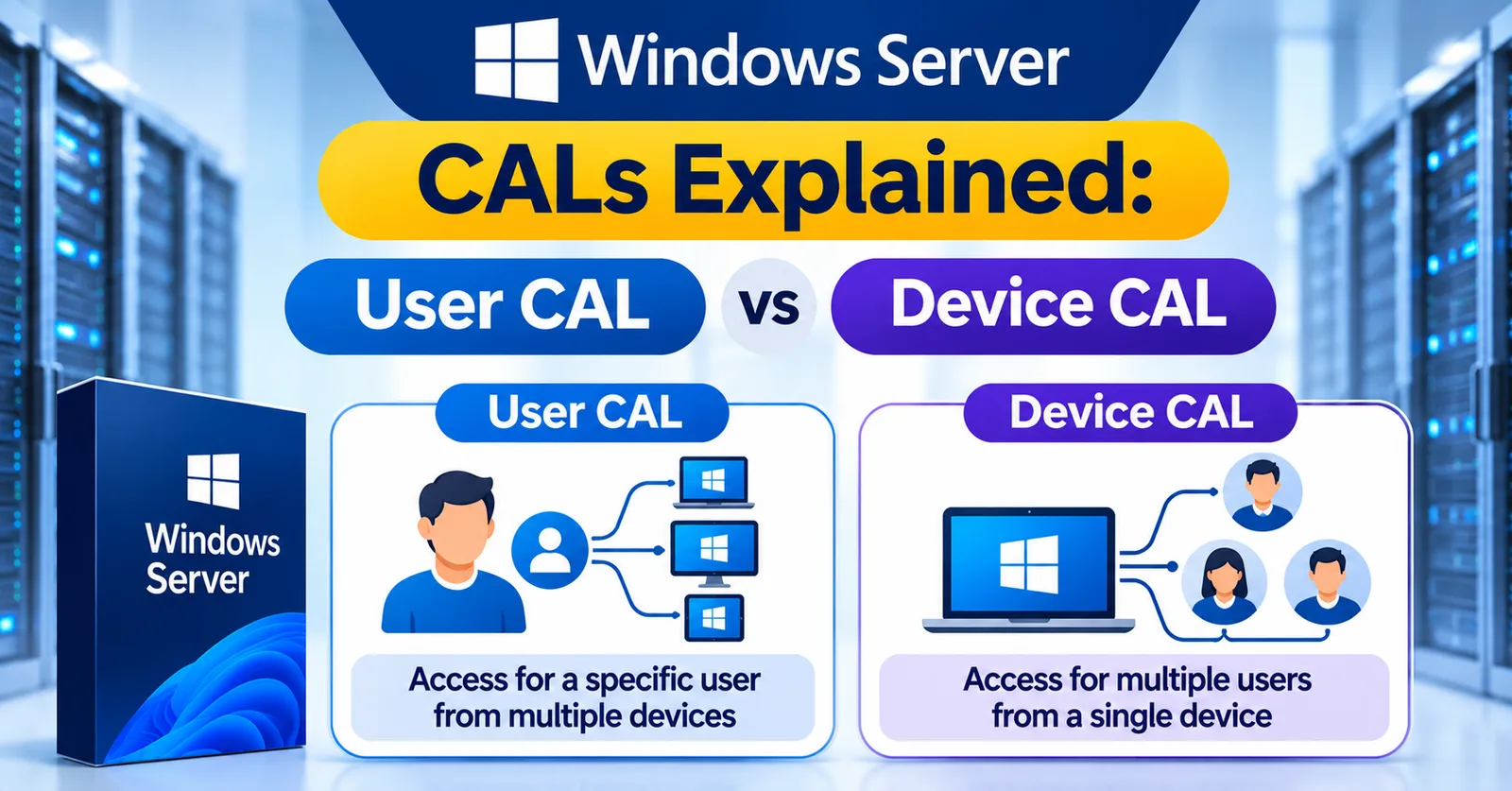
Windows Server CALs Explained: User CAL vs Device CAL
What a Windows Server CAL is, the difference between User and Device CALs, when you also need RDS CALs, and how core licensing fits in.
Written by Sujeet Kumar, with 12 years of experience at DigitalKeyWorld.
Direct Answer
A Windows Server CAL (Client Access License) is a license that lets a user or a device connect to a Windows Server. You need one CAL for every user or device that accesses the server, on top of the server license itself. Remote Desktop Services needs separate RDS CALs.
What a Windows Server CAL is
A Windows Server CAL is permission for one user or one device to access a Windows Server. It does not install anything. It is a license entitlement, and it covers using services such as file sharing, printing and sign-in. The server license covers running the server software, and CALs cover the people or machines that use it.
User CAL vs Device CAL
| User CAL | Device CAL | |
|---|---|---|
| Covers | One named person, on any number of devices | One PC or device, used by any number of people |
| Best when | Each person has a laptop, phone and tablet | Shift workers share a few PCs |
| Count to buy | Number of people | Number of devices |
Compare the headcount with the device count. Whichever is lower is usually the cheaper choice, because you buy one CAL per person or per device.
When you also need RDS CALs
Remote Desktop Services (RDS) is the feature that lets users run a Windows session on the server remotely. It needs its own RDS CAL on top of the normal Windows Server CAL, again per user or per device. If your plan includes remote desktop, buy both, for example the Windows Server 2022 license, Windows Server CALs and RDS CALs.
CAL versions and core licensing
A CAL must be the same version as the server or newer. A Windows Server 2022 server needs 2022 CALs, while 2019 CALs are not enough. The server license itself is sold by processor cores, with a minimum of 16 core licenses per server. The differences between Standard and Datacenter are in Windows Server Editions Explained.
A simple example
A company of 12 people has one Windows Server 2022 Standard server for files and printing. Each person uses a laptop and a phone. The company needs one server license (with the required core licenses) and 12 User CALs. If they added remote desktop for 5 people, they would also need 5 RDS User CALs. For help sizing a set, see the small business software licensing guide or ask us for bulk pricing.
Frequently asked questions
Do I need a CAL for every user of Windows Server?
Yes. Every user or device that accesses the server needs a CAL, whether it is a person opening files, printing or signing in to a service.
Is a User CAL or a Device CAL cheaper?
They cost the same. The better choice depends on whether you have more users than devices (choose Device CALs) or more devices than users (choose User CALs).
Can an older CAL be used with a newer Windows Server?
No. A CAL must be the same version as the server or newer, so a Windows Server 2022 server needs 2022 CALs.
Pro Tip
Choose User CALs when each person uses several devices (laptop, phone, tablet), and Device CALs when many people share a few devices, such as shift workers on shared PCs.
Stay Updated
Get the latest tips, guides and exclusive offers straight to your inbox.